Open-source extension for Chromium browsers

Track jobs from the page you're on.

Save applications to your own Google Sheet, then find and update them when replies arrive.

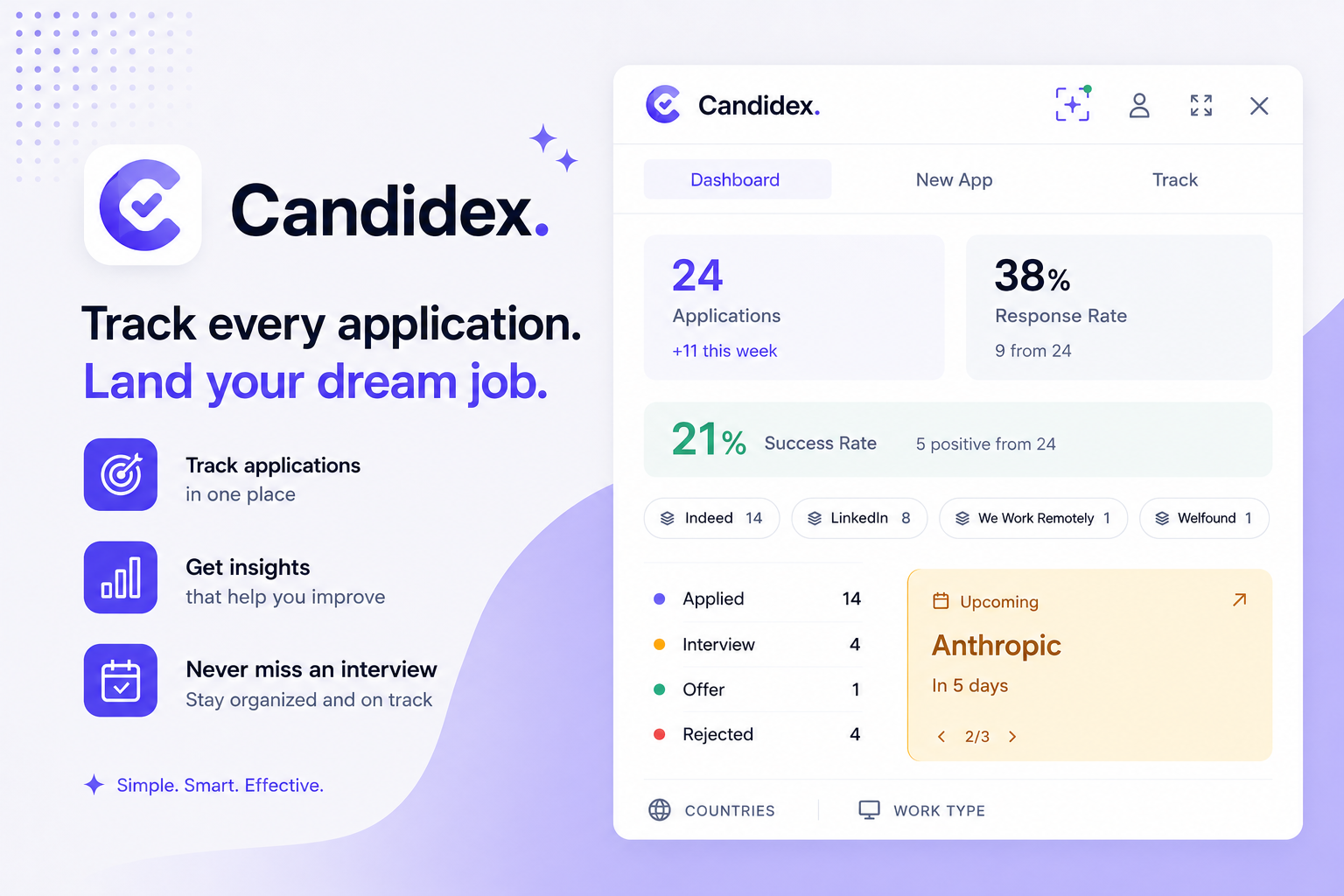
Candidex dashboard showing application totals, response rate, and upcoming interviews beside a job search page

A small tracker for a messy job search.

Save quickly on the page you're browsing, review your pipeline in the dashboard, and update statuses when recruiters reply.

One dashboard for the whole search

Every application you save rolls up into three numbers that tell you whether the search is working, alongside a breakdown by status, platform, and upcoming interview. Everything syncs to a Google Sheet in your Drive.

Applications Total volume and weekly pace
Response rate How often employers reply
Success rate Offers and positive outcomes
Manual fill application

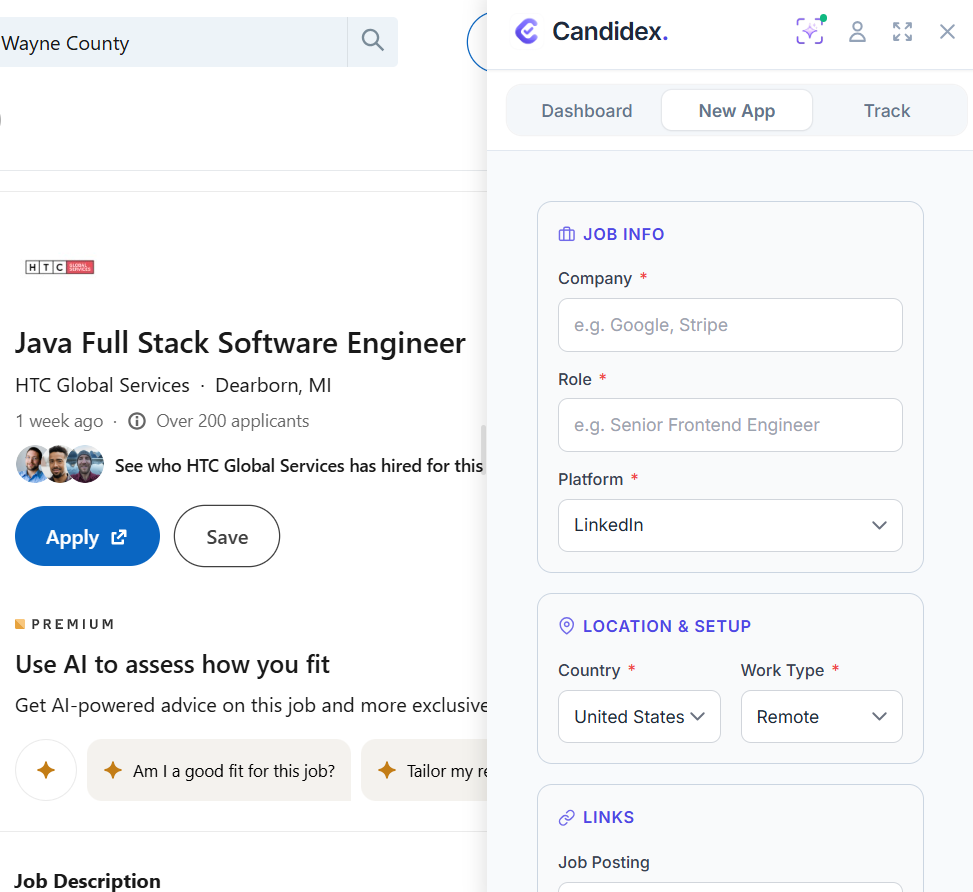
Open the panel over any job page and type the details straight into the New App form: company, role, platform, country, work type, and the posting link.

Candidex New App form open beside a LinkedIn job listing, with fields for company, role, platform, country, and work type

AI Quick Capture

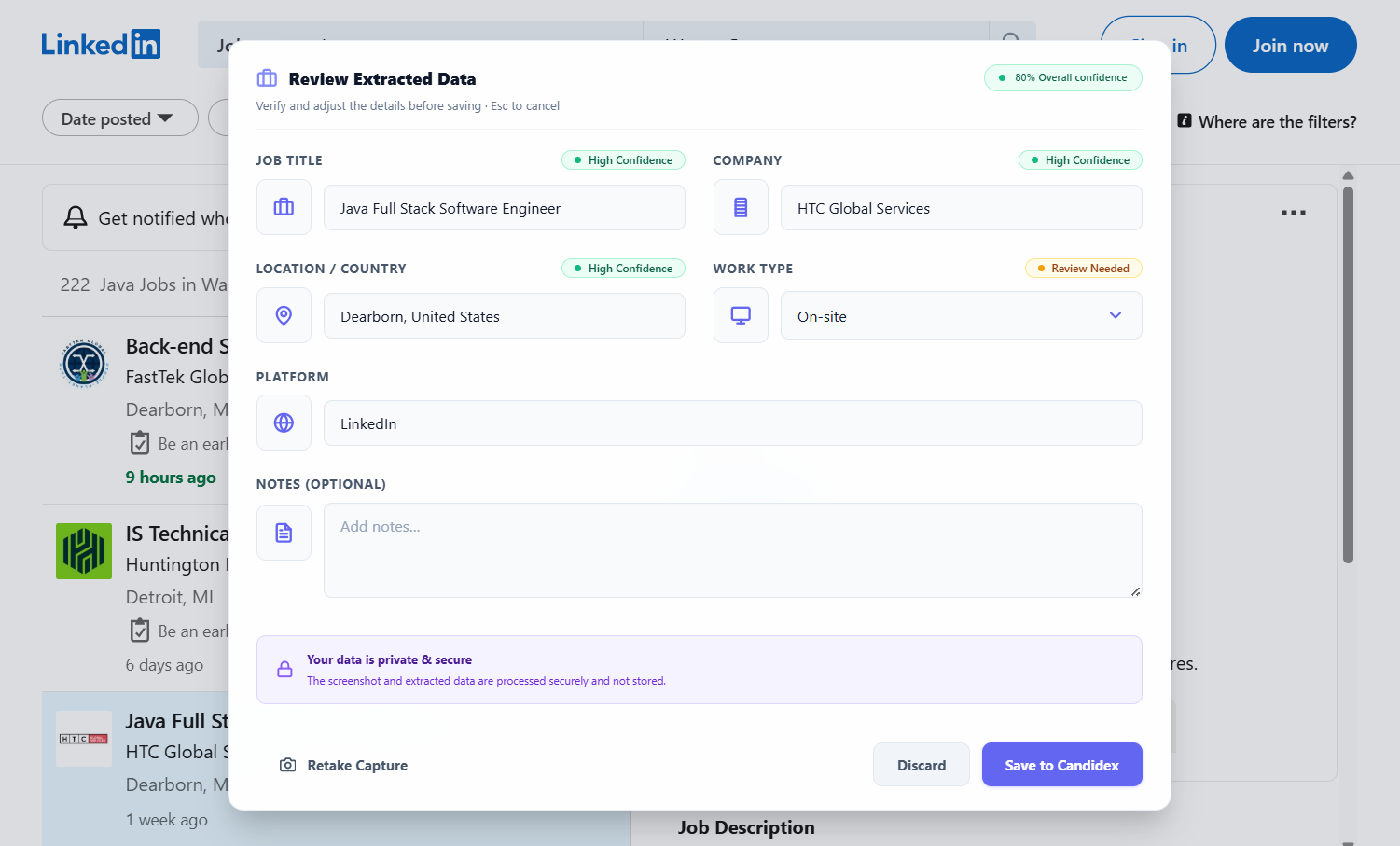
Prefer not to type? Draw a box around the posting and let your AI provider fill the same form. You review every field before anything is saved.

See how it works
Candidex review card showing job title, company, location, and work type filled in by AI with confidence badges

How AI capture works

Draw a box around a job posting, review what was extracted, then save to your Sheet. You stay in control at every step.

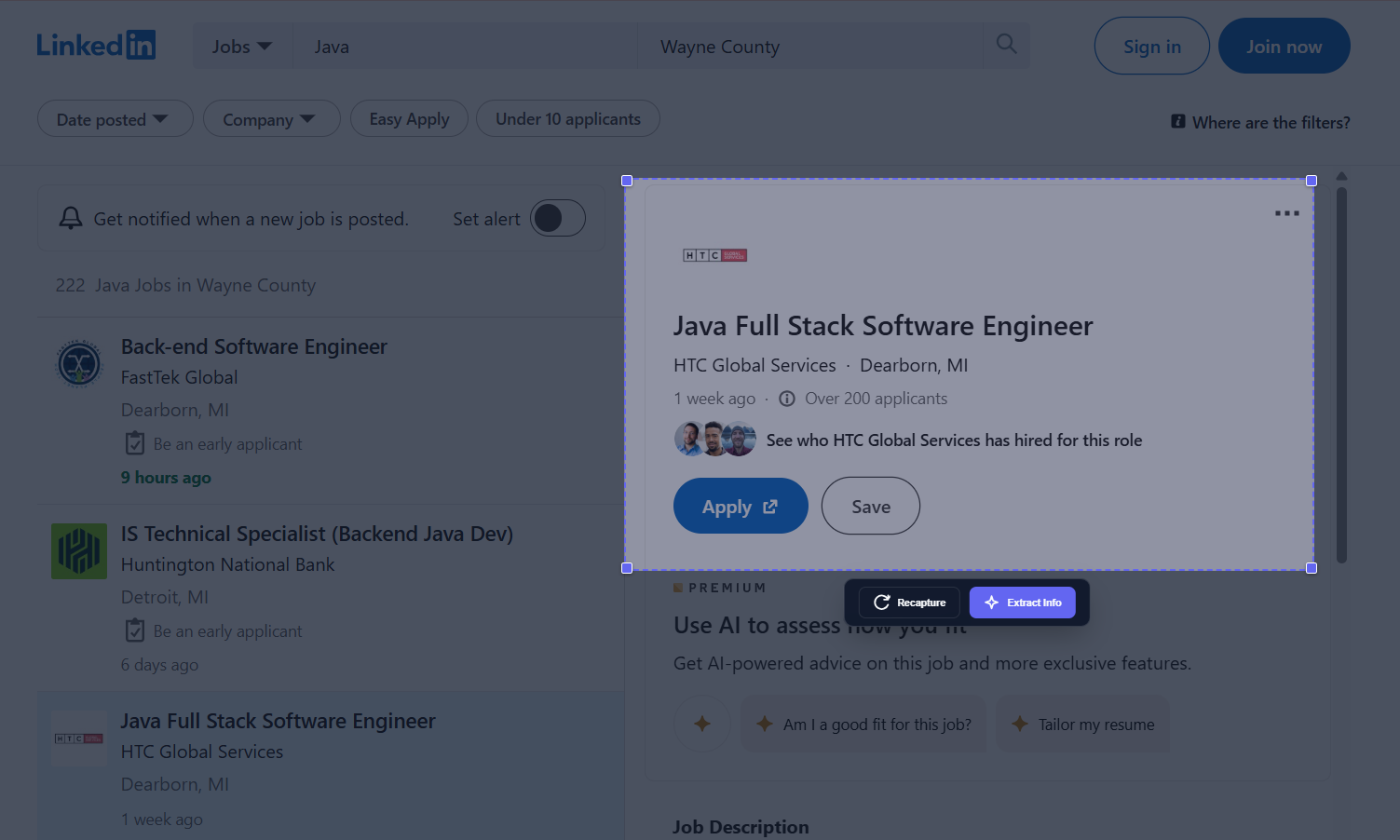
  1. Select job details

    Draw a region around the posting on the page you're viewing.

    Background page shown for context only.

    Candidex capture overlay with a selection box around a job posting and Extract Info button
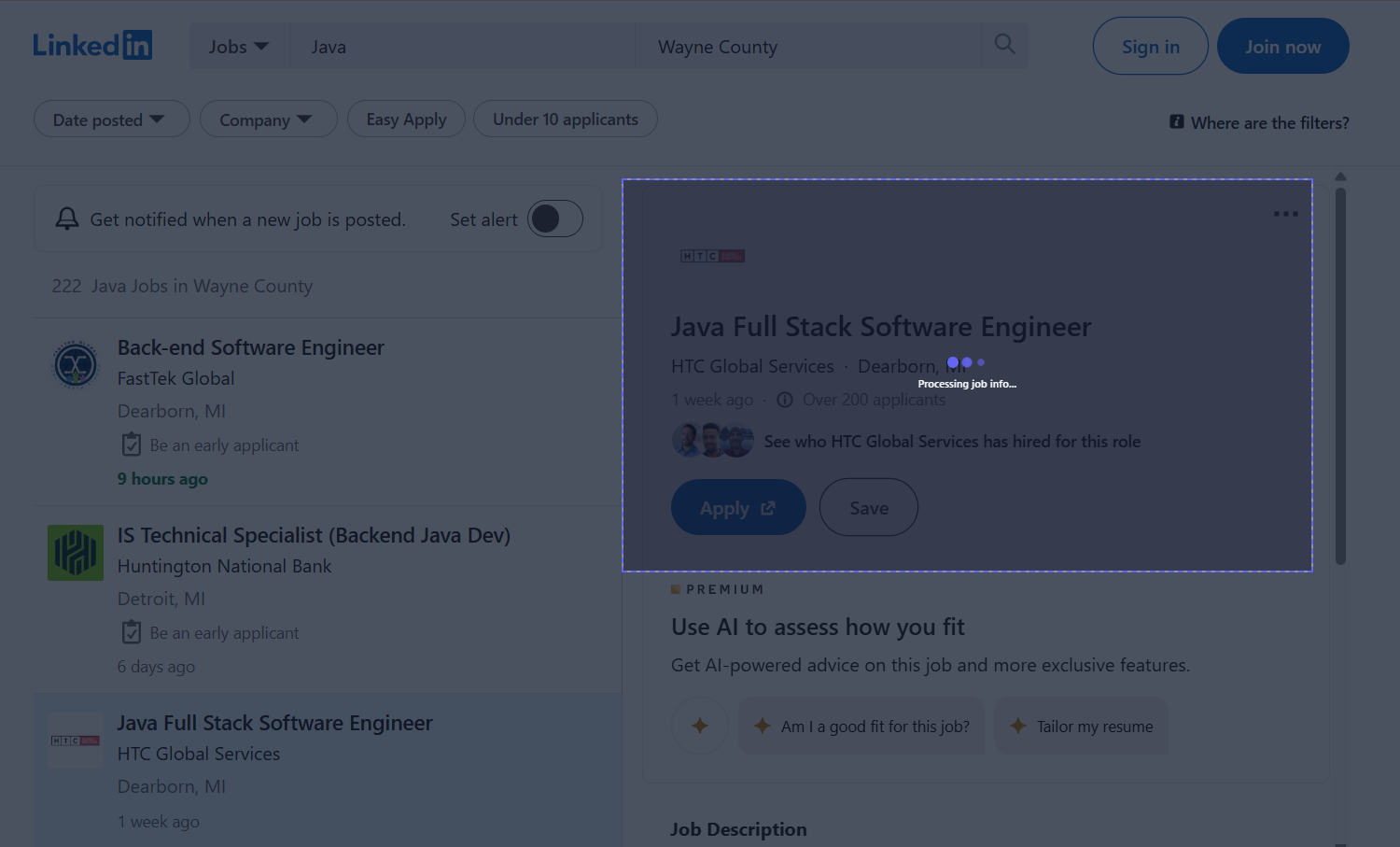
  2. Extract fields with AI

    Your configured provider reads the selected text and returns structured fields.

    Processing happens over HTTPS to the provider you choose.

    Candidex processing overlay while AI extracts job information
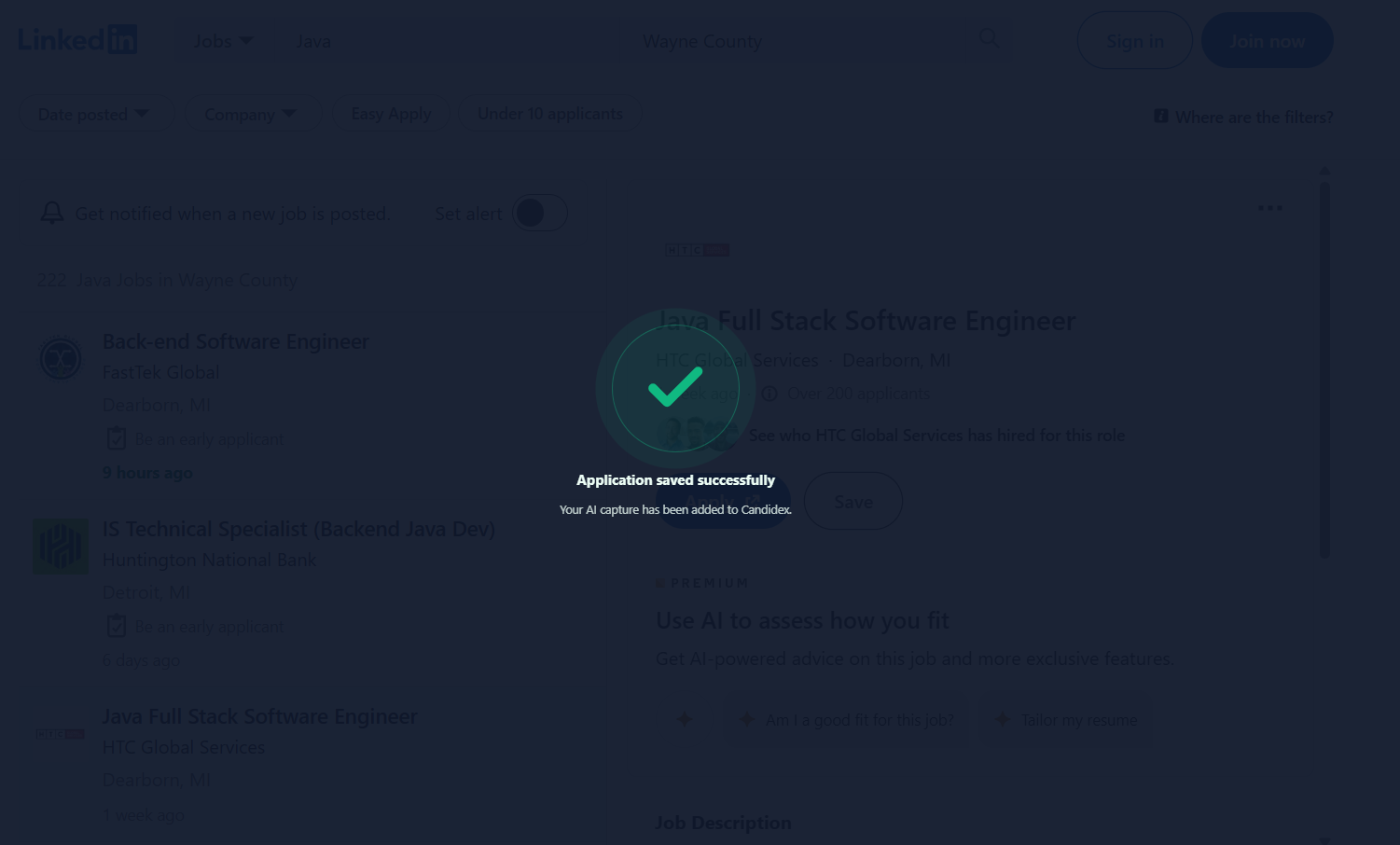
  3. Saved to your Sheet

    Confirmed applications are written to your Google Sheet like any manual entry.

    Same storage model as the rest of Candidex.

    Candidex success confirmation after an AI capture is saved

Your data stays yours.

Candidex has no backend server and no hosted database. Applications live in a Google Sheet you own.

  • No analytics, telemetry, cookies, or tracking pixels.
  • AI capture sends only the text you select to your configured provider.
  • API keys stay in browser storage on your device. Use session-only mode on shared computers.
  • OAuth uses the browser identity flow. No client secret in the source code.
Read full privacy policy

Install from source.

Packaged store releases are not available yet. Candidex runs in Chrome, Opera, Edge, and Brave.

git clone https://github.com/sebai-dhia/candidex.git
cd candidex
npm install
npm run build

Requires Node.js 20+ and npm 10+.

  1. Open chrome://extensions.
  2. Enable Developer mode.
  3. Choose Load unpacked.
  4. Select dist/candidex/browser.

On Opera, use opera://extensions instead. After install, connect Google Sheets in setup. For AI capture, open Connections and add your personal AI provider.